Sailing Companion · Blog Archive

Blog Archive

Older updates and background stories from the team behind the app.

v1.4.2 — now in Japanese and Turkish, plus a cockpit tweak

Sailing Companion v1.4.2

A quick follow-up to the v1.4 release: Sailing Companion v1.4.2 is live on the App Store now. It's a smaller release compared to the big v1.4 drop, but it opens the app to more sailors and adds a quality-of-life improvement I've been wanting to ship for a while.

Two new languages: Japanese and Turkish

Sailing Companion is now available in Japanese and Turkish, bringing the total to 14 supported languages. Whether you sail the Inland Sea of Japan or the coast of Turkey, the app now speaks your language — from the cockpit to the logbook to the waypoint notifications.

This was the most-requested thing in the inbox after v1.4 shipped. I'm glad to get it out quickly rather than waiting for the next major release.

Quick-toggle cockpit labels

One of those small things that makes a real difference on the water: the Cockpit tab now has a quick-toggle on the headline labels. Tap to switch between long labels (e.g. "Speed Over Ground") and short labels (e.g. "SOG") for your sailing metrics. If you've got the cockpit laid out the way you like it but the full labels are eating too much screen space — or the short ones are too cryptic for a crew member who isn't familiar with the abbreviations — one tap is all it takes.

Get it

Update Sailing Companion on the App Store — open the App Store, tap your profile icon, and pull to refresh.

Fair winds,
— Bernd
Share

From track to reel: turning a day on the water into a post worth sharing

22.4 nm6.1 kn avgTrack → reelyour sail, ready to post

A great sail deserves more than a blurry photo buried at the bottom of your camera roll. You came back salt-crusted and grinning from one of those days the season is made of — and then it quietly disappears into ten thousand other pictures. Telling the story of a trip should be as easy as living it was good. That belief is baked into Sailing Companion, and it is exactly what the new export templates are for.

From recorded trip to finished post

Open a trip, choose a photo or video template, and the app does the layout work for you — your route, distance, and key stats placed cleanly over your own footage if you want them there. A few taps and you have something that looks considered rather than thrown together. No separate editing app, no fiddling with fonts at the chart table.

Made for the formats people actually scroll

The templates are sized for the major social formats out of the box, so a vertical reel and a square post are both one tap away. The typography is deliberately understated — this is the sea's moment, not the graphic's. The goal was always that a stranger scrolling past should feel the day, not read a dashboard.

A little taste goes a long way

My one piece of advice: decide what the post is about. If the light on the water is the story, let the scenery breathe and keep the numbers off. If it was a fast passage or a personal-best run, that is exactly when the stats earn their place. You can do both versions in the time it takes the kettle to boil dockside.

The point is not to make you a video editor. It is to make the story of your sail effortless to tell.

It is also a quiet tour of what the app keeps

Building a post is a gentle reminder of how much Sailing Companion has quietly recorded for you — the track, the speeds, the distance, the moments you marked along the way. The trip was already captured; the templates just hand it back to you in a shape worth sharing. So next time you tie up after a good one, do not let it sink into the camera roll. Give it a couple of taps, and let the day live a little longer.

Fair winds,
— Bernd

Share

Waypoint navigation is on the way — one of your most-requested features

Waypoint navigation

Since the launch of Sailing Companion, the single most-requested feature has been the same: waypoint navigation. Today, I'm happy to share that it's officially on the way — and it'll be released very soon.

What's coming

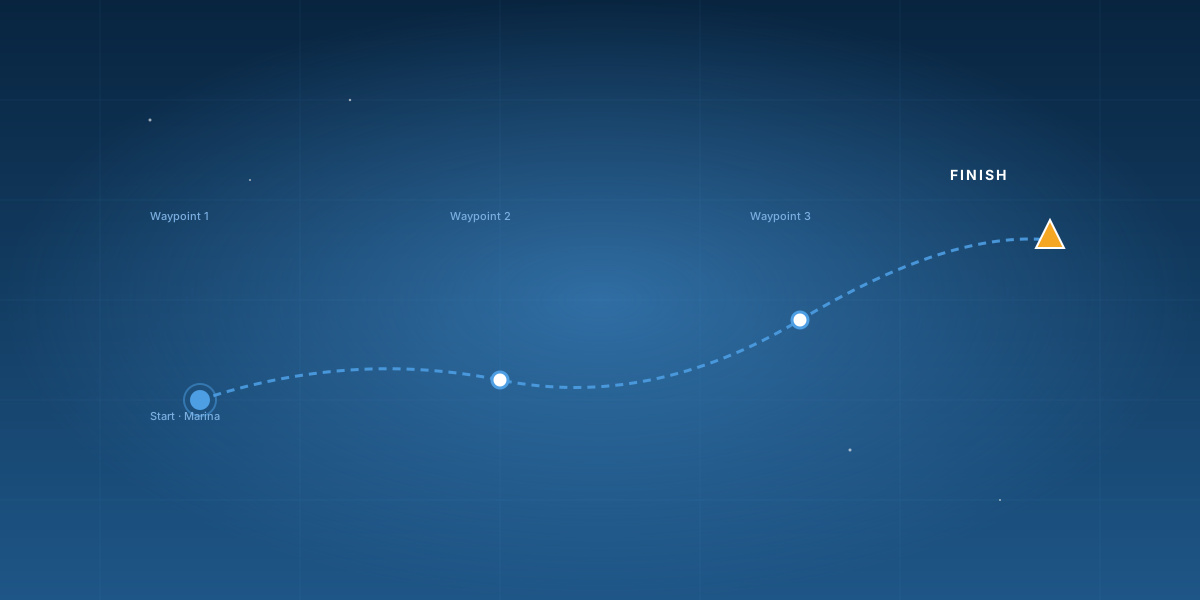
You'll be able to drop waypoints directly on the map and follow them as a route — perfect for short coastal legs, club races, day-skipper passages, and getting safely into a tricky bay. Set a destination with a single tap, watch your bearing update in real time, and let the app guide you turn by turn.

How it'll work

Tap the map to drop a waypoint. Add as many as you like — the app connects them into a route and shows bearing, distance, and ETA to each one. Routes can be reordered with a long press, edited inline, and saved for later. The current leg is always highlighted, so you always know exactly where you're heading next.

Built for real sailing

No subscriptions, no extra gear — just your iPhone, the GPS that's already in it, and a clear, focused view of where you're going. Waypoint navigation will join GPS tracking, the digital logbook, and the anchor alarm in the same clean, offline-first app you already know.

When can I get it?

Very soon. The feature is in final testing right now and will roll out in the next app update. Keep an eye on the App Store — and on this blog, where I'll post the moment it goes live.

As always: thank you for the feedback. This one came from you — every email, every App Store review, every conversation at the dock. More is on the way.

Fair winds,
— Bernd

Share

COG vs HDG: why your boat never quite points where it's going

HDGCOGHDG vs COGthe gap is the story

Every sailor has felt it. The bow is aimed squarely at the headland, you are holding the course beautifully — and yet the boat slides past it, as if the whole coastline quietly shuffled sideways. Nothing is wrong with your steering. You are just meeting one of the most useful truths in navigation: where the boat points and where the boat goes are two different things.

Two numbers, two meanings

HDG — Heading is the direction your bow is pointing, read from the compass (on your phone, the magnetometer). COG — Course Over Ground is the direction the boat is actually travelling across the seabed, worked out from successive GPS positions. On a glassy, current-free lake with no wind, the two would read the same. Out at sea, they rarely do.

Why they drift apart

Two things push them apart: leeway and set. Leeway is the sideways slip of the hull as the wind shoves the boat slightly downwind of where she points. Set is the current carrying the whole boat bodily across the ground, regardless of where the bow aims. Add them together and your track over the ground swings away from your heading — sometimes by a few degrees, sometimes by a lot.

Heading is where the bow points. Course over ground is where you actually arrive. The angle between them is the sea doing its work.

Reading the gap in the Cockpit

This is exactly why Sailing Companion's Cockpit shows HDG and COG side by side. Glance at both and the difference tells you, in real time, how hard the wind and tide are working against your steering. If COG sits consistently to one side of HDG, that is your cue to aim off — point the bow up-current or up-wind of your target so your actual track lands where you want it. Watch the gap shrink as you get the angle right, and you have just steered by ground track instead of by hope.

A small habit that pays off

Next time you are closing a mark or threading a channel entrance, stop trusting the bow alone. Pick your target, check COG against HDG, and let the difference guide how much you aim off. It is a tiny discipline that turns "why are we being set down?" into a calm, deliberate correction — and it is why the app puts both numbers right where your eye lands.

Fair winds,
— Bernd

Share

v1.3 is out — trip galleries, PDF logbook export, and an enhanced Cockpit

Sailing Companion v1.3

Sailing Companion v1.3 is rolling out today — and it brings a stack of practical upgrades you've been asking for. Three highlights in this release.

1. Thumbnail gallery of your trips

Your trips now come alive in a thumbnail gallery — a visual timeline of every passage, day sail, and club race. Scroll through your season at a glance, tap any trip to dive in, and find that one great sail in seconds. It's the kind of feature that turns a logbook from a record into a story.

2. PDF export of the logbook

One tap, and your full logbook is exported as a clean, polished PDF — ready to email, archive, print, or share. Perfect for keeping a proper yacht log, sending a trip summary to a co-skipper, or just having an offline backup before a passage. The PDF keeps your stats, notes, and photos in a layout that actually looks good.

3. Cockpit tab — enhanced sailing metrics

The Cockpit tab has been rebuilt around what you actually look at while sailing. It now surfaces a clear, glanceable set of enhanced sailing metrics in real time:

  • SOG — Speed Over Ground (kn): your real speed across the seabed, measured by GPS.
  • SOG AVG — Average Speed Over Ground: running average speed for the trip (time at anchor excluded).
  • COG — Course Over Ground (°): the direction you're actually travelling, derived from GPS.
  • HDG — Heading (°): the direction the bow is pointing, from the device's compass (magnetometer).
  • CTS — Course To Steer (°): the bearing to steer to reach your active waypoint.
  • DTW — Distance To Waypoint: straight-line distance to the next active waypoint.
  • TTW — Time To Waypoint: estimated time to reach that waypoint at your current speed.
  • DTD — Distance To Destination: distance to the final waypoint of the route.
  • TTD — Time To Destination: estimated time to the final destination.
  • Trip duration — elapsed time since the trip started.
  • LAT/LON — latitude / longitude position (used in the export overlay).

Big, readable, and designed for use at the helm with wet hands and a sun-bright screen. Pro tip: toggle your iPhone's built-in "dark mode" to display white text on a black background. Excellent readability, low power consumption, and fewer heat issues when the phone is exposed to direct sunlight.

More to come

This is a great v1.3, and the next one is already taking shape. As always: thank you for the feedback that drives every release.

Fair winds,
— Bernd


Update on the App Store
Share

The 3 a.m. test: how Sailing Companion's anchor alarm actually works

The 3 a.m. testit only has to work once — perfectly

An anchor alarm is a strange piece of software. For ninety-nine nights out of a hundred it does nothing at all, and you forget it is even running. Then comes the one night the wind backs and builds, the holding lets go, and the only thing standing between you and the rocks is a sound from your phone. That single night is the whole job. So when I built the anchor alarm, I designed it for the 3 a.m. test — not for the demo.

What it's actually watching

When you drop the hook, you set your position and a swing radius. From then on the app watches your GPS distance from that point, and if you drift beyond the circle, it raises the alarm — loudly, and with a notification, even with the screen locked and the app in the background. The concept is simple. Making it trustworthy is where the work lives.

Why it doesn't cry wolf

Raw GPS jitters. Sit perfectly still at anchor and the reported position will still wander a few metres back and forth, and a naïve alarm would wake you over a boat that has not moved an inch. So the alarm filters that noise and updates its display in a controlled way rather than reacting to every twitchy fix. The aim is brutal but simple: never sound for a phantom, always sound for the real thing.

A safety feature you do not trust is worse than none — because you will switch it off on the night you need it.

One deliberate decision: it won't auto-silence

Here is a choice that surprises people. If the boat drifts out of the circle and then swings back inside, the alarm does not quietly stop on its own. That is on purpose. By the time you are dragging, "back inside the circle for a moment" is not the same as "safe" — you want to be awake, in the cockpit, looking at the situation with your own eyes. The alarm's job is to get you up, not to make the decision for you.

How to actually trust it enough to sleep

A few practical notes from my own nights aboard. Set the anchor point once you have settled back on the chain, not the instant the hook hits the bottom. Choose a radius that accounts for your scope and swing — too tight and you will get nuisance alarms, too wide and you give away precious warning distance. Keep the phone on charge, because watching GPS all night is honest work for a battery. Do that, and the alarm becomes what it should be: the crew member who stays awake so you do not have to.

It came straight off my own boat, tested in exactly the kind of weather where the software has to work the first time, every time. That is the only standard that matters for this one.

Fair winds and firm holding,
— Bernd

Share

No subscription, no cloud, no ads — and why that was a deliberate choice

Your data. Your boat.offline-first, by design

Most apps want three things from you the moment you open them: your email, your subscription, and a permanent connection back to their servers. Sailing Companion wants none of them. There is no account to create, no monthly fee, no ads, and no quiet stream of your whereabouts going somewhere you cannot see. That is not an oversight or a "feature coming later." It is the most deliberate decision in the whole app.

Where your trips actually live

Your tracks, your logbook, your photos and voice notes live on your device. The app works offline because, at sea, offline is the normal case, not the exception — the most reliable connection on the water is the one you do not depend on. Your trips move only when you move them: a GPX file, a PDF, an AirDrop, a .sca archive handed to a co-skipper. Nothing leaves your phone behind your back.

Being honest about the trade-offs

I will not pretend this comes for free. Because there is no cloud account, there is no automatic, invisible backup, and no magic where a trip you recorded appears on your other devices by itself. That is the real cost of the choice, and I would rather name it than hide it. What you get in return is export, import, and AirDrop that put you in control — backup happens because you decided to, to a place you chose, in a format you can open anywhere.

The question is not really "where is my data?" It is "who decides where it goes?" In Sailing Companion, that is always you.

Why a sailing app especially

There is something fitting about this for sailing in particular. Going to sea is one of the last genuinely self-reliant things a person can do — you, the boat, the weather, and your own judgement. An app for that should not quietly make you dependent on a server farm and a billing cycle. It should behave like good gear: it works when you need it, it does not phone home, and it is still yours years from now whether or not anyone is running a service in the background.

The simple promise

No subscriptions. No mandatory cloud. No ads. Your data is yours and the app works offline. If you have ever felt a flicker of unease about where your tracks end up, this is the post that explains where ours do not go — and why I built it that way from the very first line of code.

Fair winds,
— Bernd

Share

Sailing Companion is live on the App Store!

Sailing Companion app

After months of development, sea trials, and a fair bit of late-night coding, Sailing Companion is finally live on the App Store. It's available worldwide in 12 languages, and it's ready to be your new crew member.

How it started

The app began as a side project born out of frustration. Existing solutions were either too expensive, did not cover the full scope I needed for sailing, or simply were not nice to use at sea. So I built what I wanted to use myself: a clean, focused sailing tool that handles GPS tracking, a digital logbook with photos and voice notes, and a reliable anchor alarm — all in one place. My vision was also always to have plenty of import and export functions in the app, so it features plenty of export templates for great social media content.

The first prototype ran on my own boat during the spring 2026 season. It tracked trips, woke me up when the anchor dragged, and quietly logged everything I wanted to remember. Friends saw it, asked for a copy, and that's when the project turned into something bigger.

What makes it different

Sailing Companion is built for real sailors. No subscriptions, no mandatory cloud accounts, no ads. Your data is yours, and the app works offline. Whether you're anchoring in a quiet bay or navigating coastal waters, Sailing Companion has your back.

Built for cruisers and day skippers alike — and tested in the kind of weather where the software has to work the first time, every time.

What's next

This is just the beginning. New features are already in the pipeline. If there's something you'd love to see, I'd love to hear about it — feedback is what drives the next versions.

For now: the app is free, and there are no hidden costs. Grab it from the App Store, take it sailing, and let me know what you think.

Fair winds and calm seas,
— Bernd


Download Sailing Companion
Share

Welcome to the Sailing Companion Blog

Welcome aboard

Today, the Sailing Companion website — and the project behind it — is going public for the first time. Hello and welcome! 👋

Until now, Sailing Companion has been a quiet side project. A long winter of building, a spring of testing it on my own boat, and a lot of small decisions made one sail at a time. With the website and the blog opening up today, the project steps out of the harbour and into the open — and I thought it deserved a proper first post.

What this blog is

A place to share what's happening with the app, what I'm learning while building it, and the small stories from the water that come with sailing with it. Honest writing — no marketing fluff, no buzzwords. Just the real story of making a sailing app, one feature at a time.

What's next

The app is now live on the App Store, the website is open, and this blog has just started. New features, updates and sea stories will show up here as they happen. If you'd like to follow along, you're in the right place.

Thanks for being here at the very beginning.
— Bernd

Share